Starting without coding
How to try an AI business idea when you don't know how to code
You can start with a job you understand and tools that already exist. Learn how to test a small service, check the results and explain what you need if you hire a developer.

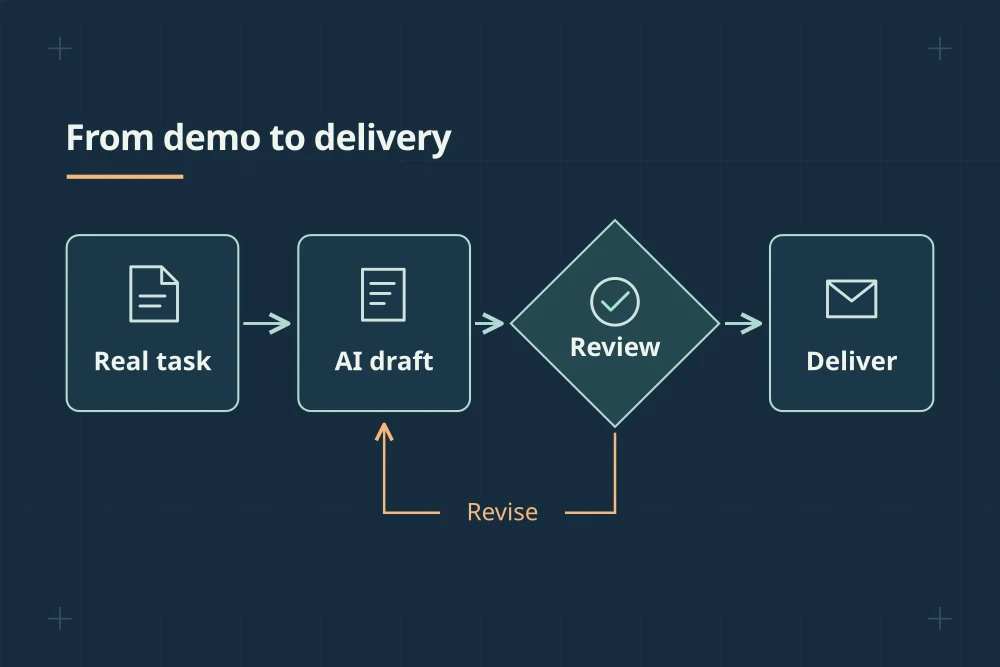
Choose a task you know well enough to check, then try helping one customer with it. You can decide what software you need once you've seen the work up close.
If you have a business idea involving AI but don't know how to code, it's easy to assume there's a whole technical education standing between you and getting started. For a small first test, you may be able to use tools that already exist and do some of the work yourself.
Your experience of the job can be useful here. If you've organized events, managed a shop, dealt with suppliers or kept a team's appointments in order, you probably know where things go wrong. You may spot a missing detail that a person new to the work would overlook.
The October 2 U.S. Chamber of Commerce technology report says 66% of surveyed small businesses use AI. That's reported adoption, not proof that each one is getting a worthwhile return or has worked out how to use it well. [1] Some potential customers may already have tried AI and still need help finishing a particular job.
Start by getting curious about that unfinished part. You can make decisions about software once you understand what would actually help.
Think about a job you could explain to a newcomer
Choose a task you know well and imagine teaching it to someone on their first day. Which details would you tell them to double-check? When should they stop and ask a question? What looks simple until you try doing it?
Here's a hypothetical example. Someone who has organized group trips might know that writing an itinerary is only part of the work. If the departure time changes, that change may affect transport, meals, accessibility arrangements and the instructions sent to travelers. Keeping those details consistent can take a lot of checking.
You could explore a service that helps small trip organizers keep their documents up to date when plans change. AI might help find affected information and draft updates, while you check the details and flag anything that needs the organizer's decision.
That example isn't a tested business recommendation. You'd still need to ask organizers how often this happens, how they handle it now and whether they'd trust someone else with the task. Your experience helps you ask better questions, but the customers need to tell you whether the problem matters to them.
Describe the help before choosing the tools
Try explaining the offer as you would to a friend who doesn't follow technology. In the trip example, you might say that when a detail changes, you'll update the affected documents and give the organizer a short list of anything they still need to confirm.
Then work backward through the steps. What information would you need? Which documents would you compare? What needs a human decision? An existing AI tool might help with one part, while a checklist or a spreadsheet handles another.
Wait before buying several subscriptions or paying someone to connect everything together. It's much easier to choose tools after you've watched the customer do the job. Otherwise, you can spend days setting up a process that doesn't match how anyone works.
A September 1 Federal Reserve publication discusses small-business barriers including cost, training, implementation knowledge and concerns about accuracy. It draws on qualitative responses from the 2024 Small Business Credit Survey. The publication is recent, but the underlying comments are older. [2] They can help you think of questions to ask today, rather than tell you exactly what today's customers need.
Get comfortable asking a few practical technology questions
You don't have to understand how an AI model is built to ask where customer information goes. Before using a tool for paid work, find out what information it receives, where it stores the results, who can access them and how to export or remove the data. Check that you're allowed to use the customer's information with that service.
Look at what happens automatically too. Does the tool only prepare a draft, or can it send messages and change records? Can you review changes before they happen? If it makes a mistake, can you undo it?
Also think about an ordinary bad day. If the service is unavailable, could you finish the work another way? If it gives a confident but wrong answer, would you know how to catch it?
For a first business test, choose work where you can detect and correct errors before they cause harm. Tasks involving sensitive records, payments, high-stakes advice or actions you can't reverse may need expertise and safeguards beyond what you can offer at this stage. It's sensible to start somewhere easier to supervise.
Give a developer an example they can work from
If you reach the point where you need technical help, you don't have to arrive with all the answers. You can make the conversation much more useful by bringing a real example with private details removed.
Show what you receive, what the finished result should look like and the steps you currently take between the two. Include examples of things that should make the system stop and ask. Explain who checks the result and what would count as a serious mistake.
For the trip service, that might mean an itinerary, a sample date change and a list of documents that need updating. If a transport time hasn't been confirmed, the system should flag it rather than make one up. Ask the developer to demonstrate that exact situation, along with a straightforward case.
Agree on who will own the code, accounts and customer data, and make sure you can access the system without depending on a contractor's personal login. You don't need to sound technical when you ask these questions. You're finding out whether you'll be able to run the service you're paying to build.
Offer a small trial with clear limits
When someone wants to try your help, agree on a small paid project. Name the result, how many items it covers, the deadline and who reviews it. If you're helping update trip documents, specify which documents and how many changes are included. That makes it easier to price the work and avoid misunderstandings.
Be straightforward about how you deliver it. If you do part of the work manually, say so. A customer may be perfectly happy to buy a carefully checked service while you work out which parts can be automated.
Keep a note of the time you spend on each step, including messages and corrections. Afterward, ask which part was useful, what they still had to do themselves and whether they'd want you to handle the next one. You can also ask how they'd manage without the service. Their answer can help you understand whether you're saving meaningful effort or adding something they could easily do without.
Wait for some repetition before paying for a bigger build
Several deliveries can show you whether different customers need much the same thing. Do they send similar information? Do the same checks keep coming up? Are they happy with a similar finished result?
Documenting a few real jobs before choosing what to automate is a practical suggestion, not a research-backed threshold. The aim is to avoid spending heavily on a product shaped entirely around one customer's unusual request.
You may find that only one small step needs custom software. You may also find that familiar tools and your own careful service are enough for now. Both leave you room to learn without asking the first version to do everything.
A useful next step is to choose one task you understand and speak to someone who does it regularly. Ask what takes time and what they'd want help with. You can begin there, using your experience to decide what a good result looks like, and bring in technical help when you know what you need it to do.
Sources and a few notes
We checked these sources on . The examples and suggested steps are our own unless we say otherwise.
- 2026 Empowering Small Business Report (opens in a new tab)
U.S. Chamber of Commerce ·
Reported adoption among surveyed small businesses. Adoption is not proof of a return on investment.
- AI Adoption Among Small Businesses: Qualitative Insights from the Small Business Credit Survey (opens in a new tab)
Federal Reserve Bank of San Francisco ·
Published in September 2026 using qualitative responses from the 2024 survey.